Changes to “Related Actions” button
Beginning March 5, two changes to the “Related Actions” button located on many business processes will take effect. “Related Actions” displays additional options related to the business process being initiated or approved, such as Cancel or Add Approvers.
These updates include:
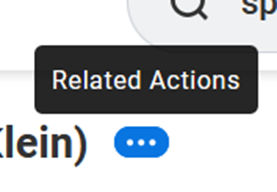
- The color of the “Related Actions” icon will be changed from orange to blue.
- A “Related Actions” title will now display when you roll over the icon or select it with the keyboard.
If you have any questions, please reach out via the Workday Service Desk.
This update is part of the March Feature Release. You can learn more about Feature Releases and what to expect by visiting the Feature Release Hub on the Modernization website.