Update to Overtime Request process
We have updated the Overtime Request process to include the ability to add additional approvers.
When reviewing overtime requests, HR Partners and Time Approvers are now able to send the request to the Cost Center Manager or the Manager’s Manager by selecting the “Add Approvers” option, located under the “Related Actions” icon located to the right of “Send Back.”
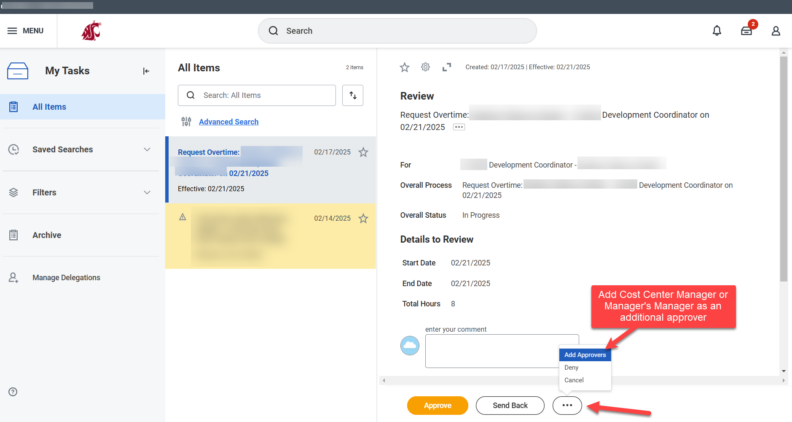
If no additional approvals are needed, this action should be approved normally.
Questions? Reach out at the Workday Service Desk.