Jira and Confluence have moved to the Atlassian Cloud
Jira and Confluence, which host the Workday Service Desk and Knowledge Base, have been moved to the Atlassian Cloud following a migration completed by WSU ITS.
Updates to Workday Service Desk
As a result of this migration, several major changes to the look, feel, and functionality of the Workday Service Desk are in effect. These include:
- Search bar has moved: The Workday Service Desk no longer has a search bar. To search for guides, users must return to the main Jira portal page to utilize the search bar there.
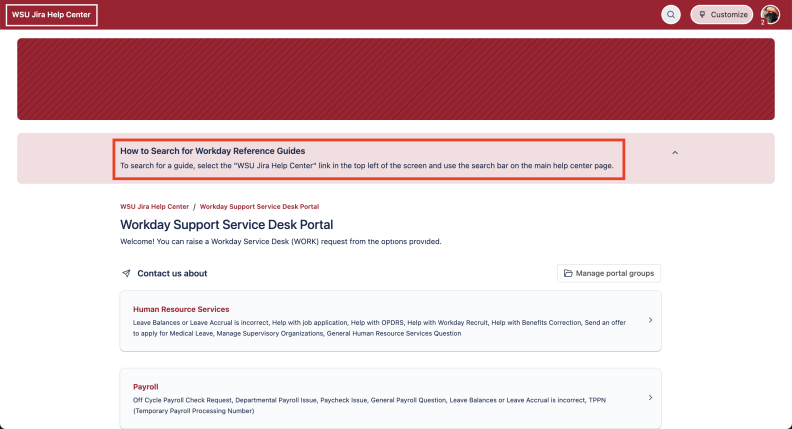
- The look and feel of the Workday Service Desk ticket sub-types menu has changed.
- Employees will be prompted to log into an Atlassian account prior to their WSU multifactor login. We encourage employees to clear their cached browser data prior to logging in to their Atlassian account.
- The Workday Service Desk may be accessed here: https://portal.help.wsu.edu/servicedesk/customer/portal/117. Users may also access the Service Desk through support.workday.wsu.edu.
Access to Workday Knowledge Base
ITS is currently working to restore access to the Workday Knowledge Base after encountering issues related to the cloud migration. During this time, employees may access Workday reference guides by visiting this this new Modernization web page providing these resources PDFs. Please note that this page will only be available as a temporary measure to ensure access to Workday guides during the stabilization of the migrated platforms.
To learn more about the recent Atlassian migration, visit the dedicated ITS project page. If you have questions regarding Workday materials or support resources, please reach out via the Workday Service Desk.