Global Navigation and user interface updates coming 9/19
With the September 18-19 Workday Feature Release (R2), Workday will implement several mandatory updates to the user interface, including significant changes to the Global Navigation, employee Profile page, and Workday Home page.
Modernization will provide additional information about what to expect, including a video tour and detailed reference guide for these user interface changes, in advance of the Feature Release. In the meantime, employees may review the high-level overview below:
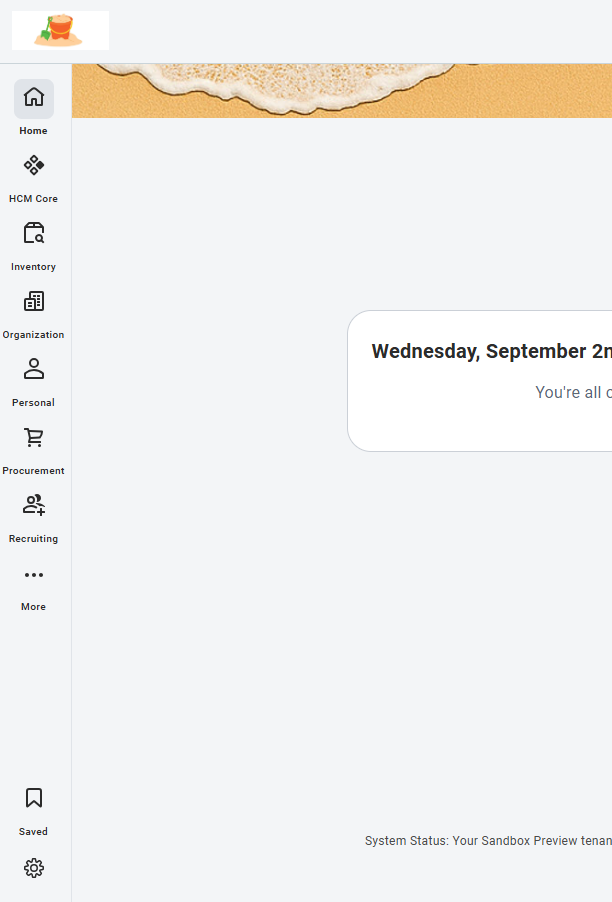
New Global Navigation sidebar
Workday will introduce the new Global Navigation sidebar, which replaces the current collapsible Global Navigation menu. The new sidebar features reorganized categories, allowing users to hover and select from a customizable list of apps organized by function. While the new sidebar is automatically configured to display at all times, employees may also choose to hide the sidebar, which becomes accessible again via the “Menu” icon.
Visit Percipio for a video tutorial and walkthrough of the new Global Navigation sidebar.
User Profile and personal Related Actions updates
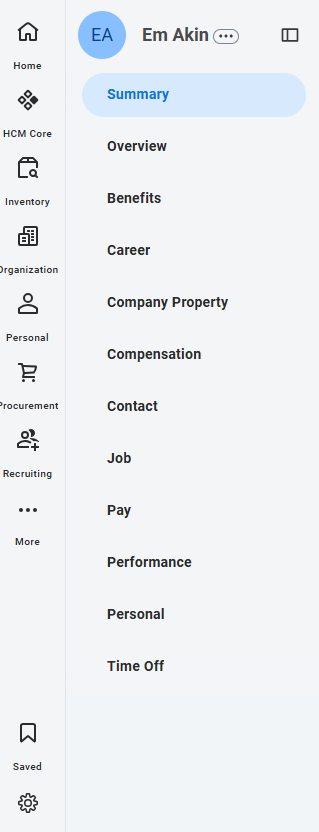
With R2, Workday will implement updates to the look and feel of the user Profile and Related Actions menu. These updates include changes to the color and shape of the Profile page, menu, and icons, as well as adjusting the existing “Actions” button. Related Actions will now be accessible by selecting a new icon to the immediate right of a user’s name.
Changes to the Workday Home page
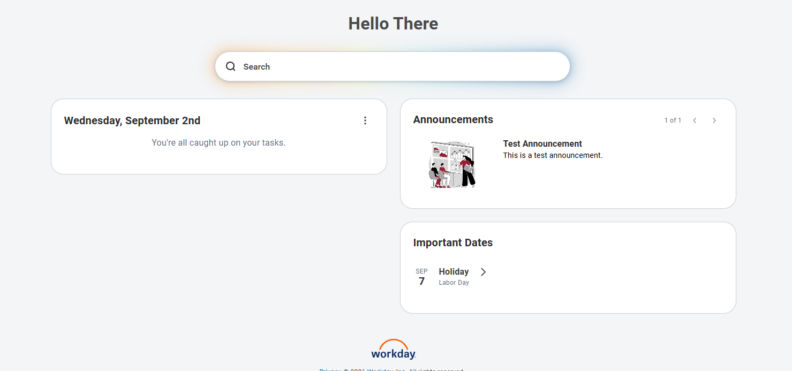
R2 introduces several key changes to the Workday Home page. These include:
- With the introduction of the new Global Navigation sidebar, Workday will retire the current Your Top Apps menu on the Home page. Users will be able to access their top apps from the new sidebar.
- The Workday Home page will now feature a single, consolidated “My Tasks” field titled “To Do”, replacing the existing Awaiting Your Action field.
- Timely Suggestions moves from its own card into the updated “To Do” area, in a section titled “Updates”.
- Workday Announcements will continue to be displayed above the Important Dates field on the right-hand side of the Home page when applicable.
The location and layout of the Workday Search field and functionality will not change.
Recruiting Sidebar configuration
Prior to September 18, all users with the Recruiting Sidebar should add the tasks/reports under their Starred Shortcuts in the recruiting sidebar to their Favorites, as the Favorites sync between both the current user interface and new user interface to the same locations. This will ensure no items from the Recruiting Sidebar are lost following the updates.
To do this: Select Profile image in the top right corner > Favorites > Manage Favorites to add the tasks/reports in their Starred Shortcuts.
Users may expand the Recruitment Sidebar as they configure their Manage Favorites to compare and ensure all items are captured from the Recruiting Sidebar list.
Those who currently use the Recruiting Sidebar will be contacted ahead of the Feature Release with a reminder and detailed instructions for this action.
System-wide updates to look & feel
Across Workday, users will notice the following updates to the look and feel of the system:
• Rounded corners to popup windows, cards, buttons, and prompt menu items.
• Active, hover, and focus states.
• Updated font sizes and weights.
• Refresh icons.
These changes go into effect September 19, 2026.
Questions? Reach out via the Workday Service Desk.
This update is part of the September Feature Release. You can learn more about Feature Releases and what to expect by visiting the Feature Release Hub on the Modernization website.