Update to Lodging Entry requirements on Expense Reports
Effective July 9, 2026, when reconciling a Lodging expense on an Expense Report document in Workday, the Expense Line Date must match the Departure Date (the date the expense was incurred) listed in the Item Details Section. This requirement helps align expense reporting with the expense incurred date.
Previously, the Expense Line Date required input to match the Arrival Date.
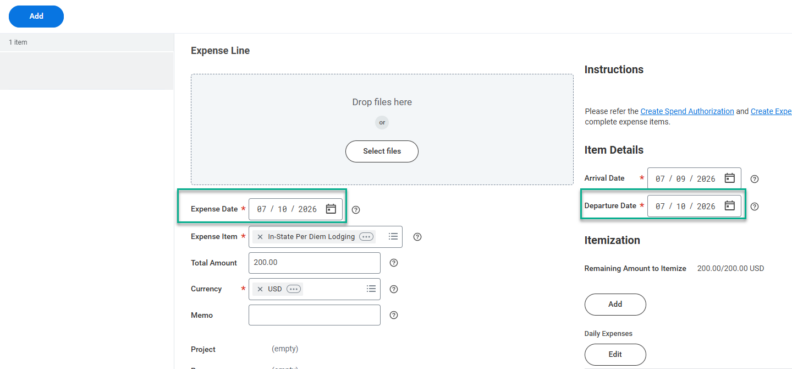
If these two fields do not match, users will receive the following updated error message: “Expense Report Lodging Expense Item Line Date is not equal to Expense Item, Item Details Departure Date. To Resolve this Error: Ensure dates match in fields of the Item Details Departure Date and Expense Item Date.”
Please direct questions to Central Travel Services at travel@wsu.edu.