Workday Best Practices: Submitting a Supplier Change Request
Departmental Buyers are encouraged to review the following process overview for submitting a Supplier Change Request in Workday. Detailed information about completing this process can be found in the Create Request for Supplier Change reference guide.
In the Workday Search field, enter “Create Request.
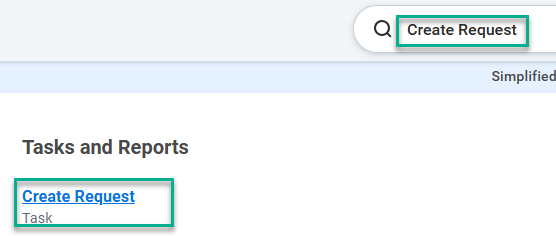
Then, select the “Create Request” task.
From the available Request Types, select “Supplier Change Request.”
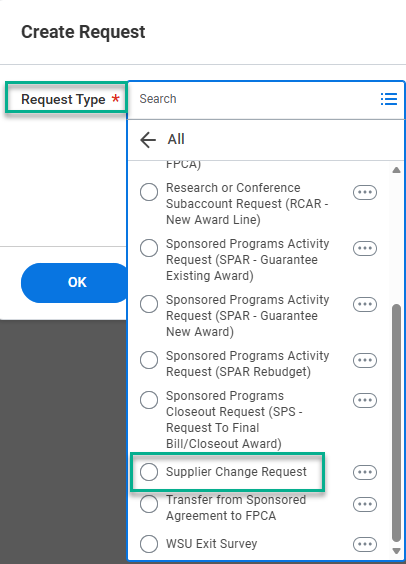
After selecting “Supplier Change Request,” users may input all required information and submit the task.
Questions? Reach out via the Workday Service Desk.