New embedded report in Adaptive Grants Forecasting
Workday has released new functionality in Adaptive Planning allowing reports to be embedded within a dashboard, automatically syncing the dashboard parameters with report prompts to populate report results.
Using this new functionality, we have updated the Grants Forecasting dashboard within Workday Adaptive Grants Forecasting to include the report Grant Forecast (by Grant). This report is now embedded on the Reports tab of the dashboard, as shown in the screenshot below.
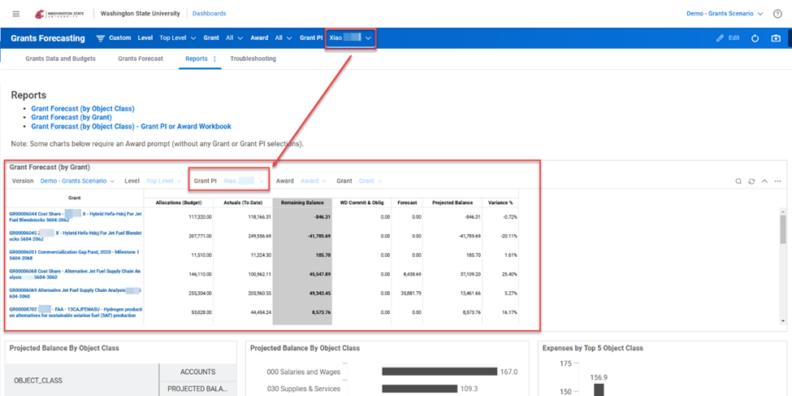
The parameters located in the blue ribbon will automatically filter the report results, and the report will automatically refresh each time a user navigates to the Reports tab. Users may drill into the results to view breakdowns by object class by right-clicking on the blue hyperlinked Grant and selecting “drill in by Object Class.” The existing charts and graphs have been shifted down to create space for the embedded report.
Questions? Reach out to the Modernization Grants team at the Workday Service Desk.