Workday Assistant available 11/10
On Monday, November 10, Workday Assistant will become available to all WSU employees in Workday.
What is Workday Assistant?
Workday Assistant is Workday’s purpose-built chatbot and intelligent search that can help employees navigate around Workday more easily and quickly access information such as:
- Time and leave balances
- Expense reports
- Procurement requisitions
- Team information
For a complete list of Workday Assistant’s available capabilities, review the new Workday Assistant reference guide.
How does it work?
Workday Assistant uses Natural Language Processing (NLP) to help users by returning Workday information, tasks, and reports most likely relevant to you. Workday Assistant can be used in either the main search bar as an intelligent search option, or the chatbot from anywhere in Workday.
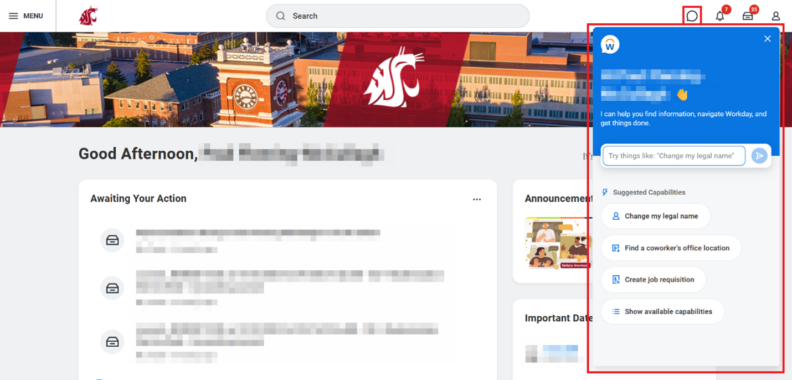
When an employee enters a question or prompt into the search bar or chatbot, Workday Assistant first determines if the request is within its capabilities, or tasks and information it’s able to access. If there’s a match, Assistant returns an answer to the user. Output types include information retrieval, a link to a Workday task or report, or the option to go to a task.
Please note that not all functional areas, processes, and data are accessible through Assistant.
If you have questions or concerns regarding Workday Assistant, please reach out to the Modernization team via the Workday Service Desk.